


Subwoofer Bass - Bass Booster
4.73.23K Reviews
App Specs
- Version
- 3.5.8
- Updated On
- License
- Free
- Downloads
- 10,000,000+
- Developer
- ZipoApps
- Categories
- Music & Audio
- Platform
- Android
Screenshots
 Analysis by AppCompare
I’d begin with a modest change rather than pushing the bass control straight to its limit. With an audio enhancer, the first problem is often not figuring out the control; it’s finding a setting that adds weight without making vocals muddy or the whole track tiring. Subwoofer Bass - Bass Booster is aimed at that straightforward adjustment, so it makes most sense when you want more low-end presence from music you already play, not a complete replacement for a music service or a full sound system.
When a bass boost sounds wrong
The result depends on the source and the listening device. A track that already has a strong low end can become boomy when boosted, while a thin recording may benefit more noticeably. I’d compare the same short passage at the original setting and at a restrained boost, paying attention to the kick, bass line, and voice together. If the voice loses definition, back the control off; more bass is not automatically better sound.
It also helps to distinguish a change in tone from a change in volume. Boosted audio can seem more impressive simply because it sounds louder or fuller. For a fair comparison, keep the listening level comfortable and switch between settings on a familiar song. That quick check is more useful than choosing a dramatic setting based on the first few seconds.
Start with a simple setup check
Before adjusting anything, play a track you know well and confirm that it is coming through the headphones or speakers you actually plan to use. Try the app’s player and its bass control with the same track, then make one adjustment at a time. If playback sounds unchanged, check that the music is being played through the app’s own player rather than assuming a sound adjustment will affect every other audio app on the device.
Device audio settings and the listening accessory can also shape what you hear. If a separate equalizer or sound effect is active, switching it off temporarily can make it easier to judge this app’s contribution. This is a useful test, not a rule that every other audio setting must stay disabled. Once you know which adjustment is doing what, you can decide whether the combination sounds better to you.
Recover a setting without chasing it
If a saved sound feels wrong for a new song or a different pair of headphones, return to a milder adjustment and listen again before changing several controls. A preset that works for dense electronic music may not suit an acoustic recording, and headphones can reproduce bass differently from a small speaker. Treat saved settings as convenient starting points, not universal profiles that should sound identical everywhere.
For everyday listening, I’d keep one restrained setting for familiar headphones and make a separate choice when the listening setup changes. If playback becomes distorted or unexpectedly loud, reduce the boost first and bring the device volume down to a comfortable level. Then test again with a different track. That sequence helps separate an over-aggressive adjustment from a problem with the source or output device.
Worth Reading Before You Choose

Flipboard Shows What News Apps Must Do Beyond the Feed

Switching to Android Auto Means Rethinking Your Driving Routine

Google Calendar Makes a Crowded Week Easier to Manage

Ludo King Makes the Most of the Minutes Between Plans

Baby Panda World Brings Quick Play to Modern Phones, but Its Game Library Feels Busy

ESPN’s Live Game View Makes Following Close Games Easier
Know when the app is not the fix
A bass booster cannot create deep, clean bass that a tiny speaker is unable to reproduce, nor can it repair a poor recording. If the sound breaks up only on one track, try another before blaming the app. If it happens across several tracks, lower the boost and compare another listening device. A weak or damaged speaker, an unreliable connection, or audio processing elsewhere on the device may be the more relevant cause.
I’d also skip this kind of app if your goal is precise studio-style equalization, detailed control over many frequency bands, or consistent sound shaping across every audio source. A dedicated equalizer or the controls built into a music player may suit those needs better. This app’s appeal is the simpler task: quickly adding bass and making a basic tonal adjustment without turning listening into a technical project.
Amplify Your Audio Experience
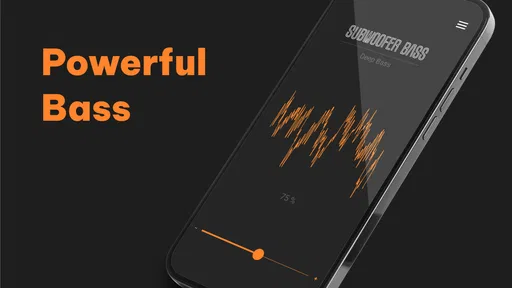
First things first, the main attraction here is the ability to enhance the bass of your music. Now, I know what you’re thinking—"Does it really make a difference?" The answer is a resounding yes! With Subwoofer Bass - Bass Booster, you can turn those flat tunes into a full-blown audio experience that feels like you’re sitting in front of a concert speaker. You can literally feel the bass in your bones, and that’s not something every app can promise.
Easy Peasy Interface
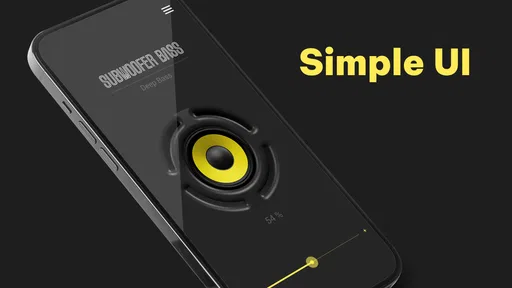
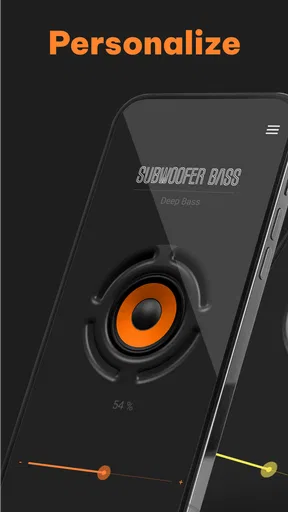
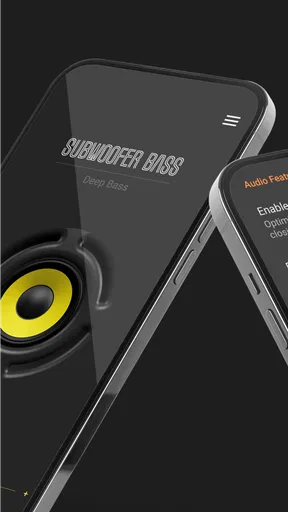
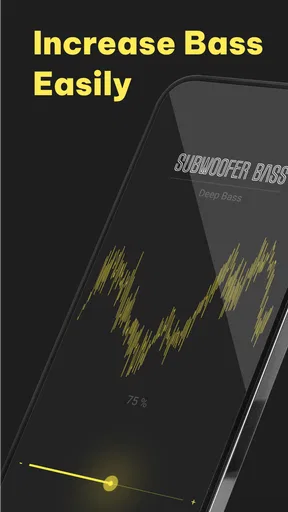
One of the things I really appreciate about this app is how easy it is to use. No need to be a tech wizard to navigate through it. Once you open the app, you’re greeted with a simple and intuitive interface. It’s got a single knob that you can adjust to boost the bass to your liking. Want to shake the walls? Just crank it up! Prefer a subtle thump? Dial it down. It’s all in your hands.
And it’s not just about the bass. The app also lets you tweak the treble, giving you control over the finer details of your audio. This is especially handy if you’re listening through headphones or smaller speakers and want to get the best sound possible.
Compatibility and Performance
Now, let’s talk about compatibility. Whether you’re on Android or iOS, Subwoofer Bass - Bass Booster has got you covered. It works seamlessly across both platforms, ensuring that no one misses out on the fun. Performance-wise, it’s pretty solid. I didn’t experience any lag or crashes, which is always a plus when you’re dealing with audio apps. The sound quality remains crisp and clear, even at higher bass levels.
Now, the practical setting matters as much as the control itself. On a commute, I’d use headphones and keep the boost mild, because a stronger low end can mask voices and make a long playlist tiring. At home, a speaker may respond differently, so I’d test a familiar song rather than carry over a headphone setting automatically. If you share a room or listen late, headphones are the more considerate choice; raising bass on a speaker is not a substitute for a subwoofer and can make the sound harsher without adding real depth.
A useful everyday routine is to pick a track with both a clear vocal and a steady bass line, make a small adjustment, and then let a full verse play. That reveals more than tapping the control while a beat is playing. I’d also avoid changing the bass and treble together during the first test. When both move at once, it is harder to tell whether the improvement came from the extra low end or from a brighter overall sound.
A Few Extra Features
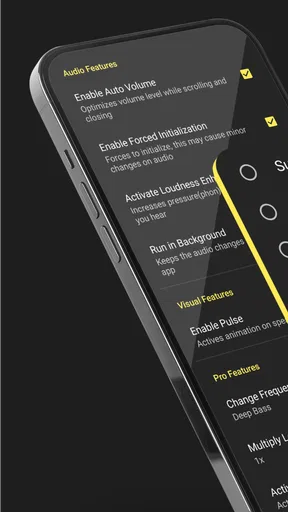
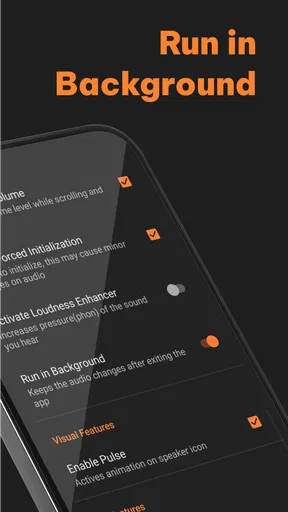
While the bass boosting capability is the star of the show, the app also packs a few extra features worth mentioning. For one, it includes a music player that lets you play your tracks directly through the app. This is super convenient because you don’t need to switch between different apps to adjust your sound settings. It’s all integrated, making your listening experience smooth and hassle-free.
That built-in player makes the most sense for someone who wants to choose a track, adjust its sound, and keep listening in one place. It is less compelling if your normal routine depends on another player’s library organization, playlists, or listening features. I would not move an entire music collection just to use a bass control; instead, try a few tracks in the integrated player and see whether that simpler workflow is enough for occasional listening.
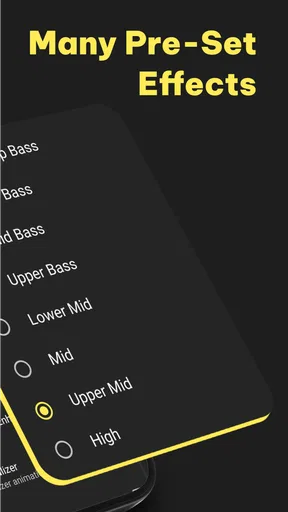
Another neat feature is the ability to create custom presets. If you find a particular setting that you love, you can save it and easily switch back to it whenever you want. This is perfect for those who like to switch up their music styles often.
Presets are most useful when they capture a repeatable situation, not just a genre label. I’d name or remember a setting by the headphones or speaker it suits, then treat it as a starting point when switching devices. Even the same style of music can have very different mixes, so a saved choice should not replace a quick check for distortion or muddy vocals. That small habit keeps convenience from turning into a one-size-fits-all setting.
For a listener who only wants a more prominent beat during a workout or while tidying up, the direct control and saved choices can be a nice shortcut. Someone mixing music, comparing recordings, or trying to correct a whole device’s sound will probably want a more detailed equalizer instead. Those tools usually give finer control, but they also ask for more attention. Here, the trade-off is clear: less setup and a narrower job.
Who will get the most from it
I see this as a good fit for casual listeners who already like their music but find it a little thin through their usual headphones. It can also suit someone who wants an easy way to experiment with bass and treble without learning audio terminology. ZipoApps makes the app, and its long-running presence is reflected in its June 2015 release and current version 3.5.8. On Android, the stated minimum is version 5.0; the app is free to download, rated for Everyone, and offers in-app purchases ranging from $0.99 to $99.99 per item.
Its audience is broad: the app has a 4.7 average from around 97,000 ratings, with over 10 million installs and about 3,200 written reviews. Those figures suggest that many people have tried it, but they cannot tell you whether its particular sound suits your headphones or whether you will prefer a different player. I’d use the free access to judge the basic listening experience before considering any purchase, and check the purchase details in the app before paying.
The best test is personal and low-risk: use the same song, same output device, and comfortable volume, then compare a subtle boost with no boost. If the change makes the rhythm more enjoyable while keeping voices clear, the app is doing the small job you wanted. If it only sounds louder, or if the bass becomes woolly, a flatter setting or a different equalizer is likely the better choice.
Wrapping It Up
So, is Subwoofer Bass - Bass Booster worth a download? If you’re someone who craves that extra punch in your music, I’d say go for it. It’s easy to use, performs well, and genuinely enhances your audio experience. Whether you’re listening to rock, hip-hop, or even some classical tunes, this app can take your music to the next level. Just be sure to warn your neighbors before you turn it up to eleven!
My recommendation comes with one clear condition: keep expectations focused on a convenient bass adjustment, not a cure for limited speakers, weak recordings, or every audio issue on a phone. I’d choose it for quick, personal listening tweaks and skip it when I needed detailed equalizer control or a sound change that reliably follows all my audio apps. Start gently, compare with a familiar track, and keep the setting that improves the music without taking over it.
Ready to feel the beat? Check out the app today and let your ears have the time of their life!
Pros
- Enhances bass for rich audio experience.
- User-friendly interface with simple controls.
- Customizable equalizer settings.
- Compatible with most music apps.
- Minimal battery consumption.
Cons
- Limited free features without upgrades.
- May cause distortion at high volumes.
- Ads can be intrusive during use.
- Not all devices support full functionality.
- Requires frequent manual adjustments.
FAQs for Subwoofer Bass - Bass Booster
What is the main function of Subwoofer Bass - Bass Booster?
Subwoofer Bass - Bass Booster is designed to enhance the bass frequencies of audio played on your device. By amplifying the bass sounds, it delivers a richer and deeper audio experience, especially beneficial for music genres like EDM, hip-hop, or any tracks with a strong bassline.
Is Subwoofer Bass - Bass Booster compatible with all audio formats?
The app supports a wide range of audio formats commonly used on smartphones, such as MP3, WAV, and AAC. However, it's always good to check the specific format compatibility on your device to ensure optimal performance and audio enhancement.
Does using Subwoofer Bass - Bass Booster affect battery life?
Yes, increasing audio processing through apps like Subwoofer Bass - Bass Booster can lead to increased battery consumption. The app processes additional audio data to enhance bass, which might slightly reduce battery life during extended use. Users should monitor their usage accordingly.
Can Subwoofer Bass - Bass Booster damage my speakers or headphones?
While the app is designed to safely enhance audio, excessively boosting bass can potentially lead to distortion or damage to speakers and headphones over time. It’s recommended to adjust the settings gradually and avoid maximum volume levels to maintain the longevity of your audio equipment.
Is Subwoofer Bass - Bass Booster free to use?
The app typically offers a free version with basic features, alongside optional in-app purchases or a premium version that unlocks advanced settings and ad-free experience. Users can explore the free version first to determine if upgrading would enhance their audio experience.


